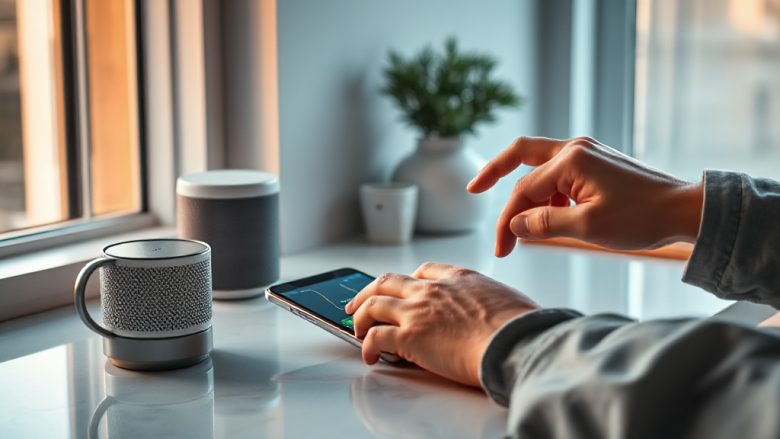
Your alarm goes off. You reach for your phone, and it opens before your thumb even lands on the screen. The face recognition took a fraction of a second, matched the shape of your eyes and nose against a stored template, and unlocked the device. You probably didn’t think about it. That’s the point. This is how artificial intelligence is used in daily life — quietly, in small moments, long before you’ve had coffee.
Most people imagine AI as a robot or a chatbot. In reality, it’s a set of techniques that help machines spot patterns, make guesses, and improve with more data. Those techniques are already woven into routines you’d never call “techy.” Here’s a walk through one ordinary day, from waking up to winding down, to show where the algorithms actually sit.
Morning: the quiet algorithms before breakfast
Before you’ve left the bedroom, AI has probably made a dozen small decisions on your behalf. Your phone’s keyboard suggests the next word as you text a friend. That prediction comes from a language model trained on billions of sentences, guessing which word fits based on the ones you’ve already typed. It’s not reading your mind. It’s playing a very fast game of probability.
Your email inbox has already sorted itself. Spam filters use machine learning to recognise the patterns of junk mail — odd sender addresses, suspicious links, unusual phrasing — and push them out of sight. The same kind of model flags messages that look like phishing attempts, which is why fewer dodgy emails reach your main folder than a decade ago.
If you ask a smart speaker for the weather, speech recognition turns your voice into text, a language model works out what you meant, and a text-to-speech system answers out loud. Three separate AI systems, one seamless reply. None of them “understands” weather the way you do. They’ve just been trained on enough examples to get the answer right most of the time.
Getting around: maps, traffic and the hidden rerouting
You open a maps app and it shows a route. Behind that simple blue line, AI is doing several jobs at once. It’s predicting traffic based on historical patterns and live data from other phones. It’s estimating how long each turn will take. And when it suddenly reroutes you because of an accident two miles ahead, that’s a model reacting to a change in real time.
Public transport apps do something similar. They predict when your bus will actually arrive, not just when the timetable says it should. Ride-hailing apps use AI to match drivers with passengers, estimate fares, and forecast demand so cars are in the right places at busy times. Even parking apps can guess which car park is likely to have spaces.
There’s a safety layer too. Many newer cars use computer vision to spot lane markings, pedestrians, and cyclists, and to warn you if you’re drifting. Some can brake automatically. These systems aren’t perfect, and drivers still need to pay attention, but they’re already reducing certain kinds of low-speed collisions.
Work and study: from spellcheck to study plans
At work, AI shows up in tools you might not label as AI at all. Grammar and spellcheckers suggest corrections. Spreadsheets predict the rest of a column based on the pattern above. Calendar apps propose meeting times that suit everyone. Customer service chatbots handle the first round of questions so a human can deal with the trickier ones.
For anyone studying, the picture is similar. Language apps adjust the difficulty of exercises based on how well you did last time. Revision platforms spot which topics you keep getting wrong and push more of those into your queue. Search engines summarise long documents so you can decide whether they’re worth reading in full.
The useful framing here is that AI is a assistant, not an oracle. It’s good at drafting, sorting, and suggesting. It’s less good at knowing when it’s wrong. Treating its output as a first draft — something to check, edit, and improve — gets far better results than accepting it wholesale.
Shopping and entertainment: recommendations you didn’t ask for
You search for a pair of running shoes and, for the next week, every site you visit seems to know. That’s recommendation AI at work. It looks at what you’ve browsed, what people with similar tastes bought, and what’s currently popular, then ranks products accordingly. The same logic powers the “you might also like” row on a streaming service.
Streaming platforms use AI in two ways. One is recommending what to watch next. The other is less visible: they use viewing data to decide which shows to commission, how to edit trailers, and even which thumbnail image to show you. A different thumbnail can change whether you click, and the platform tests thousands of variations to find out which works.
Music apps build playlists by analysing the audio itself — tempo, key, energy — alongside what similar listeners enjoy. Photo apps use computer vision to group pictures by face or place, and to search your camera roll for “beach” or “dog” without you tagging anything. Voice assistants on TVs and speakers do the same recognition tricks as the one in your kitchen.
Health and home: sensors that notice patterns
Health is one of the areas where AI’s pattern-spotting is genuinely useful. Smartwatches use it to detect irregular heart rhythms, estimate sleep stages, and flag when your activity levels drop unusually. Some apps analyse photos of skin spots and compare them against large datasets, though a doctor’s opinion still matters more than any app’s.
In hospitals, AI helps radiologists by highlighting areas of scans that look unusual, so a human can review them faster. It’s used to predict which patients might deteriorate, to help schedule operating theatres, and to speed up drug discovery by simulating how molecules might behave. These tools support clinicians rather than replace them.
At home, the smart thermostat learns when you’re usually in and adjusts heating accordingly. Robot vacuums map rooms with sensors and avoid obstacles. Security cameras distinguish between a person, a pet, and a passing car, which cuts down on false alerts. Energy apps forecast your usage and suggest when to run appliances to keep bills lower.
Privacy, bias and keeping control
All this convenience comes with trade-offs, and it’s worth being honest about them. Recommendation systems need data about you to work well. Voice assistants listen for wake words, which means a microphone is technically active. Cameras and sensors collect information about your home. The question isn’t whether AI is used — it’s how much you’re comfortable with.
There are practical steps. Review app permissions and turn off anything a service doesn’t genuinely need. Use privacy settings on social and shopping accounts to limit ad tracking. Check whether a smart device lets you delete your voice recordings. Read the plain-English summaries many companies now provide, even if the full policy is dense.
Bias is the other issue. AI learns from historical data, and historical data contains human prejudices. A hiring tool trained on past decisions can inherit past discrimination. A facial recognition system trained mostly on one demographic can perform worse on others. Regulators in several countries are now requiring impact assessments for high-risk uses, and researchers are developing ways to test and correct these problems. It’s ongoing work, not a solved one.
The sensible approach is curiosity mixed with scepticism. Use the tools where they save you time. Question them when the stakes are high. And remember that “the algorithm decided” is never the whole story — a person designed it, trained it, and chose to deploy it.
What this means for an ordinary day
By the time you switch off the light, AI has probably touched dozens of moments: the unlock, the route, the email filter, the playlist, the thermostat, the sleep tracking. None of it feels futuristic. That’s exactly why it’s easy to miss.
The useful takeaway isn’t to fear it or worship it. It’s to notice it. Once you can see where these systems sit in your routine, you can decide which ones earn their place and which ones you’d rather switch off. That’s a more grounded relationship with the technology than either panic or blind trust — and it’s one you can start building tomorrow morning, the moment your phone unlocks.